Introducing Dyna AI for Dynamic Health
The NYU Health Sciences Library is excited to share information about Dyna AI – a new Dynamic Health feature that is now available to you.
Dynamic Health is an evidence-based information support tool, by EBSCO, for nursing and therapy professions (physical, occupational, and respiratory). It sources recent clinical evidence and clinical skill pathways.
Dyna AI is designed for healthcare professionals to ask complex clinical questions and get answers in a single step using natural language. The answers are generated from Dynamic Health’s highly curated, authoritative clinical content and F.A Davis medication information.
Using Dyna AI
- From the Dynamic Health Home Page, go to the upper right corner, sign in with your existing Dynamic Health account, or create a new one.
- Simply enter your clinical question and press Enter. For example: How to insert a peripheral IV in newborns?
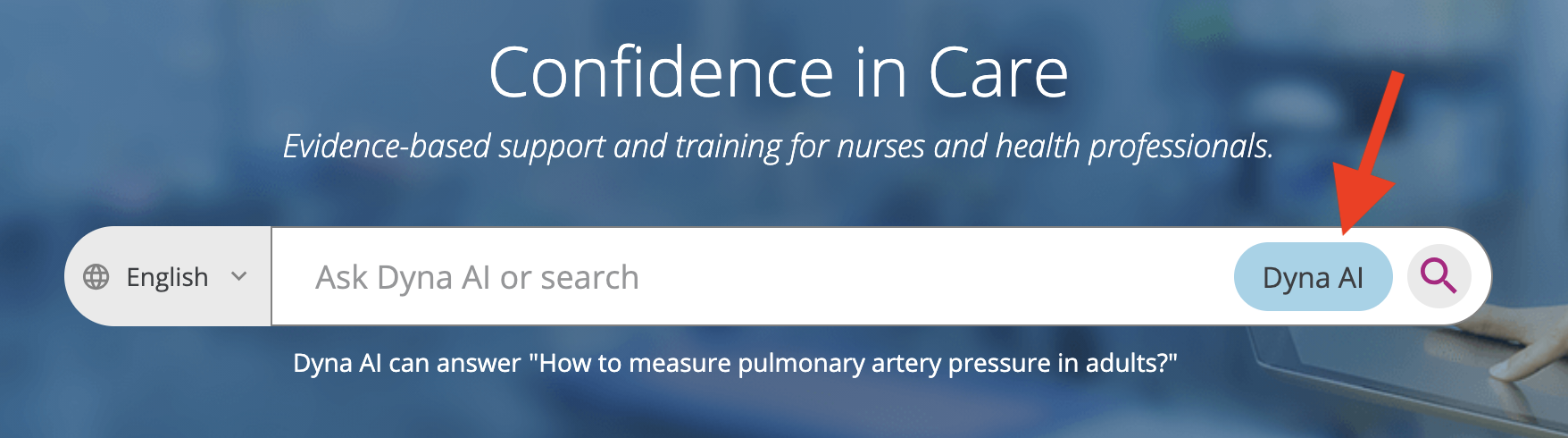
- Click on the Dyna AI button located at the end of the search box.
Dyna AI responses are designed for clarity, trust, and efficiency
- Each answer clearly identifies its source and includes direct links for full transparency.
- Ask follow-up questions to explore topics more deeply and refine your original query.
- Copy an entire conversation, or a specific question and response, including timestamps and source material.
- Access your search history or easily rerun previous queries from the left-hand panel.
For additional guidance, open the “Tips for Using Dyna AI” modal in the left-hand panel to learn how to phrase questions and get the most effective answers.
Dyna AI responses are for educational purposes only and should not be solely relied upon for medical practice. Users must assess the information they obtain from Dyna AI. Dyna AI responses are not intended to serve as recommendations for individual patients. Do not enter Protected Health Information (PHI).
